|

You can create a Favorites list that contains links to
files that you use often. You cannot add folders to the Favorites
list.
(iPhone) On the Documents screen, tap the filename.
The Details screen appears. Move the Favorites Option slider to
ON.
(iPad) Open the document and tap  . .
When you go back to the Documents list, the filename has
a star beside it, indicating that it’s a favorite.
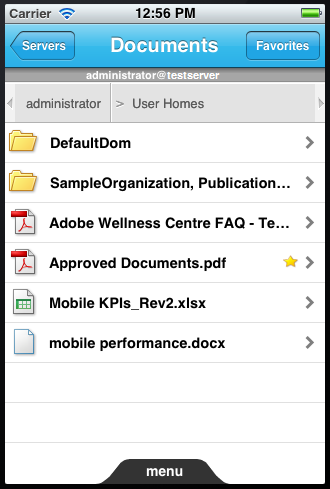 Documents list, with one marked as a favorite
Note: This screenshot and the one in the next step were taken on
an iPhone, but the behavior is the same on iPad.
To view a list of your favorite files, tap the Favorites button.
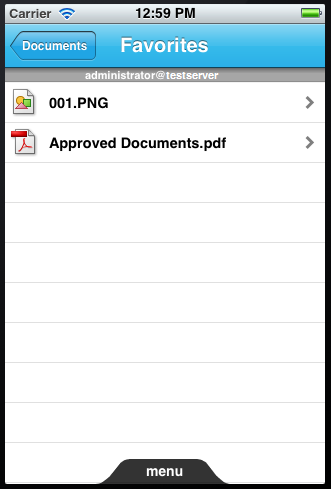 Favorites list
|
|
|


