|

You can specify individual users as well as groups when
defining a list of principals.
Add users and groupsUse
the Add Users and Groups dialog box to select principals to add
to a list. For information about searching for users or groups,
see Select a specific user or Select a specific group.
Afficher le graphique en taille réelle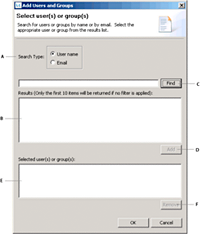 - A.
- Search by user name or email address
- B.
- Display the search results
- C.
- Filter search results by the specified string
- D.
- Add the selected user or group
- E.
- Display the list of principals to add
- F.
- Remove principal from the Selected User(s) Or Group(s)
pane
Select usersUse the Select User dialog box to add a user to a list
of principals.
Afficher le graphique en taille réelle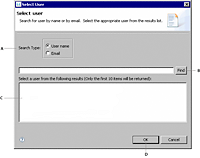 - A.
- Search by user name or email
- B.
- Filter search results by the specified string
- C.
- Display the search results and select a user to add
- D.
- Add the selected user
Select groupsUse the Select Group dialog box to add a group to a list
of principals.
Afficher le graphique en taille réelle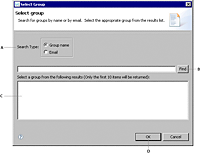 A. Search by group name or email B. Filter search results
by the specified string C. Display the search results and select
a group to add D. Add the selected group
|
|
|


