To access your Tasks list, tap menu at the bottom
of the LiveCyclescreen and then tap Tasks  .
.
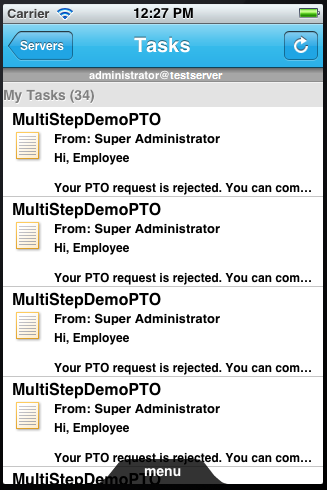
Tasks list on iPhone.
Note: If you have more than one account configured, you are prompted
to select an account before the Tasks list is displayed. There is
also an additional Servers button in the header that enables
you to switch user accounts.
To open a task, tap on it in the list and follow the instructions
provided on the Task Details screen.
If the task you are viewing is part of a business process that
prevents you from completing the task without opening it, you cannot
complete the task from your mobile device. Log in to Workspace to
complete the task.
When a task is nearing its due date, the deadline date is displayed
in orange. When it is past its due date, the deadline is displayed
in red. You can set your preferences to sort your task list by deadline.
You can also choose to hide overdue tasks. (See Specify task preferences.)
Tapping the underlined “From” name on the Task Details screen
displays a pop-up window containing contact information for that
person. You can tap the phone number to place a call, or tap the
email address to create a new email message.



