|

To access your Forms list, tap menu at the bottom of the
screen and then tap Forms  . .
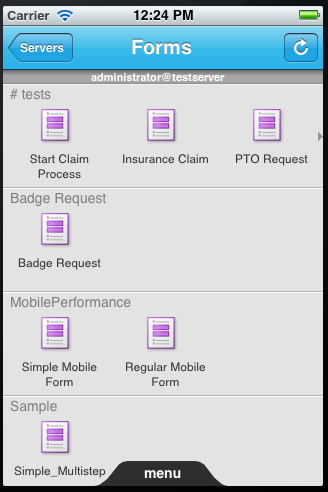 Forms list on iPhone The Forms list contains all of the forms that you can initiate
from your device, organized into categories. If a category contains
more forms than can fit on the screen, a small arrow indicates that
you can scroll horizontally to see the additional forms.
Note: If you have more than one account configured, you are prompted
to select an account before the Forms list is displayed. There is
also an additional Servers button in the header that enables
you to switch user accounts.
To open a form for filling, tap the form name. When you submit
the form, you are returned to the Forms list.
|
|
|


