Learn what is new in March 2026 release of Adobe FrameMaker.
Adobe FrameMaker March 2026 brings an all-new book-level template for managing Variables and Conditional tags, and an enhanced search experience with the Find All option in the Find/Change dialog. These enhancements are introduced to boost efficiency and deliver seamless authoring experience.
Book-level templates for Variables and Conditional tags
Adobe FrameMaker now provides a smarter way to manage variables and conditional tags in a book. Instead of updating these elements manually in each document, you can consolidate them into a single book-level template (.MLT file) and manage them from one centralized location. When working on a book file with multiple documents, use the new Book-level Configuration option in the Insert menu to fetch all variables and conditional tags into one view – within the MLT file.
The following screenshot displays the Set Up Book-Level Elements dialog in FrameMaker
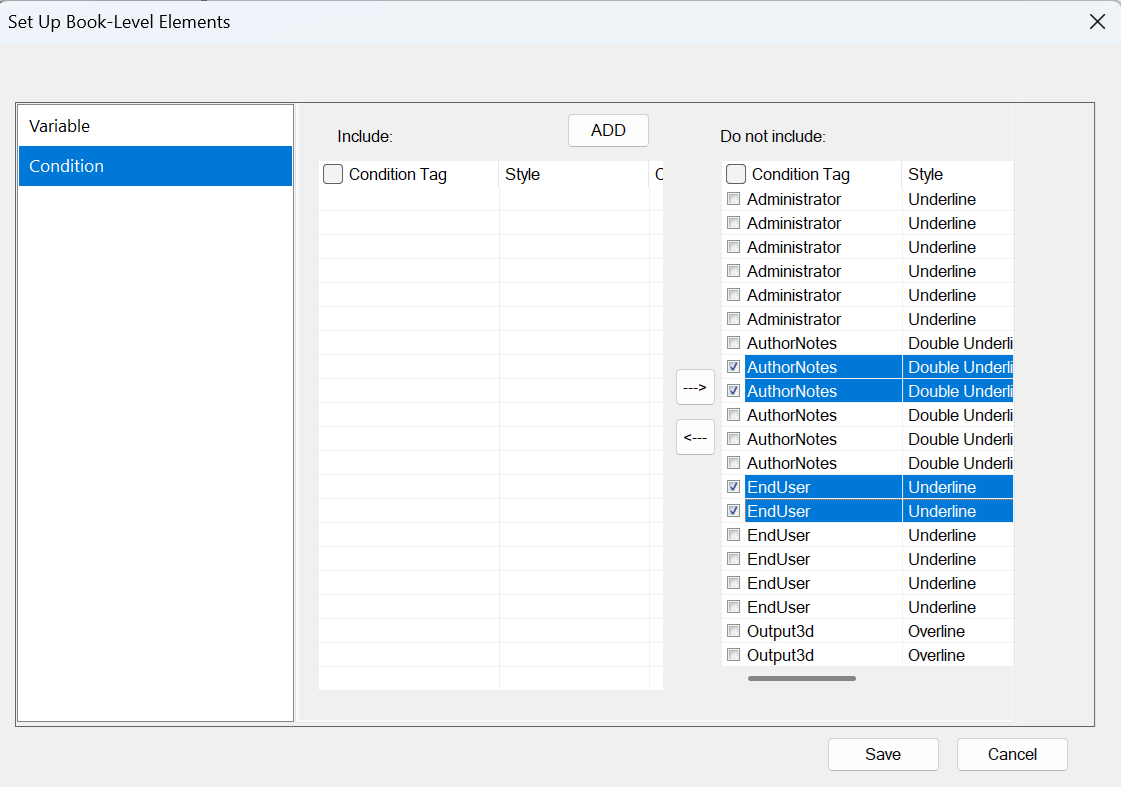
For information on how to create and use the book-level template, refer to Book-level templates for variables and conditional tags.
New Find All option in the Find/Change dialog
The Find/Change dialog now includes a new Find All button to deliver a more intuitive and efficient search experience across book files, documents, and maps.
With Find All, you can quickly locate every instance before applying changes. It supports advanced search capabilities, including case sensitivity, whole-word matching, regular expressions, and wildcards.
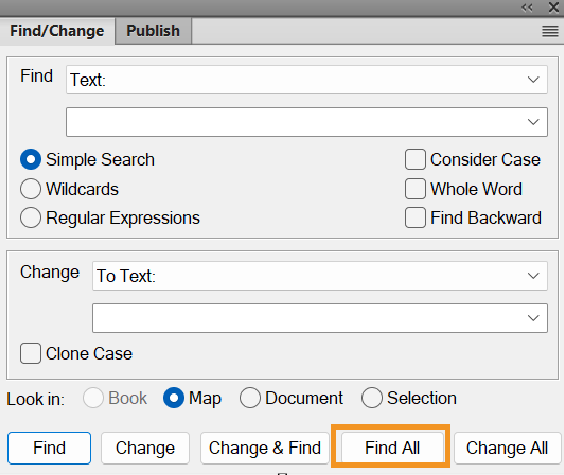
For more information on features available in the Find/Change dialog, view Find/Change dialog.