Understand how FrameMaker handles external URLs for XML files.
Introduction
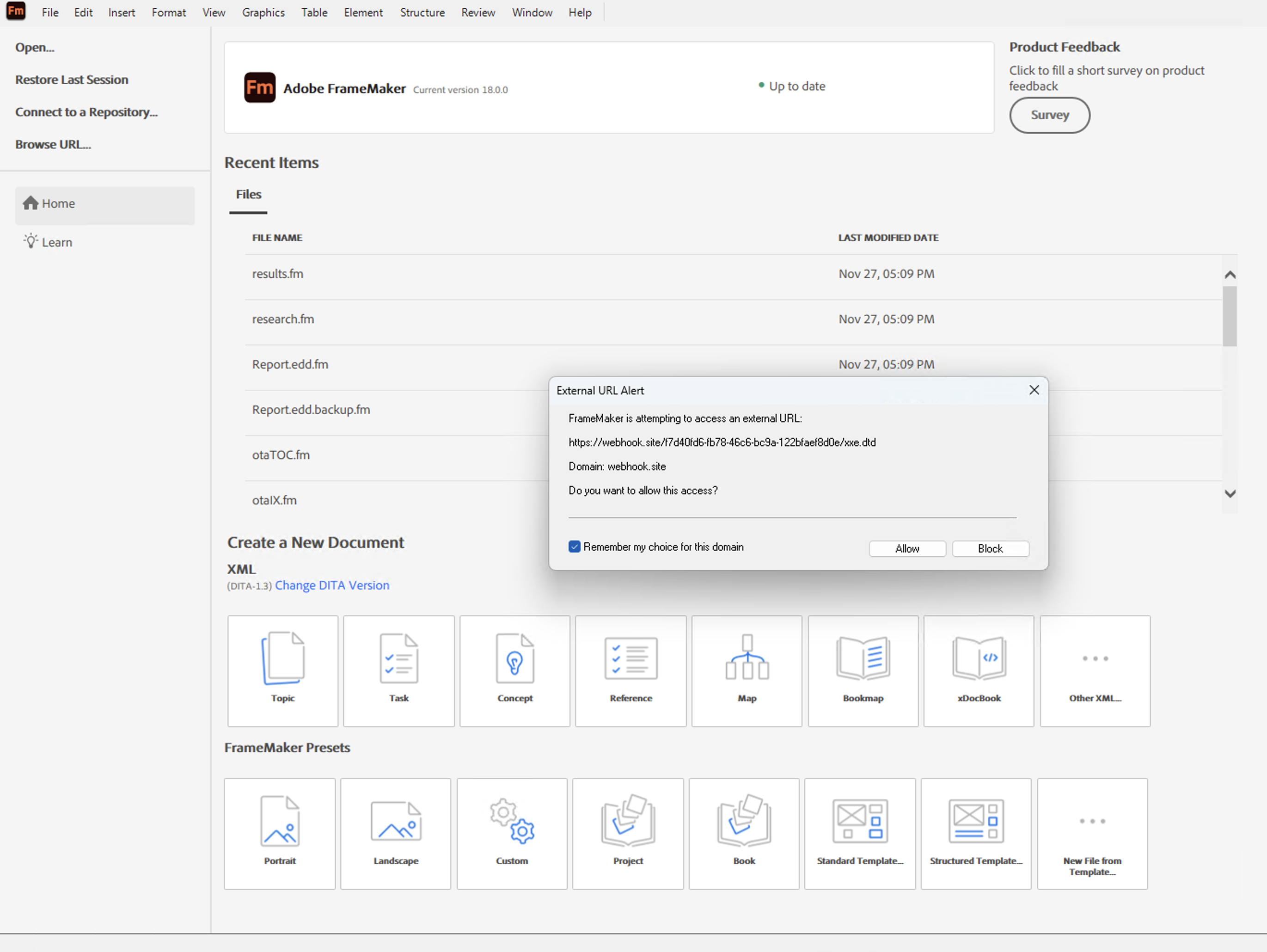
If an XML file contains references to external URLs, FrameMaker detects these references during XML processing and controls access to them based on the External URL settings defined in the ditafm.ini file. When an external URL needs to be resolved, the External URL Alert dialog is displayed, providing domain information and the options to allow or block access to the external resource:
-
Allow: Allows access to the external URL
-
Block: Blocks access to the external URL
-
Remember my choice for this domain: Saves the selected action for the domain
How FrameMaker applies your selection depends on whether the choice is saved for the domain:
-
Selecting Allow or Block without enabling Remember my choice for this domain applies the decision only while the current XML file is being processed.
-
Selecting Allow or Block with Remember my choice for this domain saves the decision for the domain and applies it to subsequent processing.
-
Closing the dialog using the cross ( X) button has the same effect as selecting Block without saving the choice.
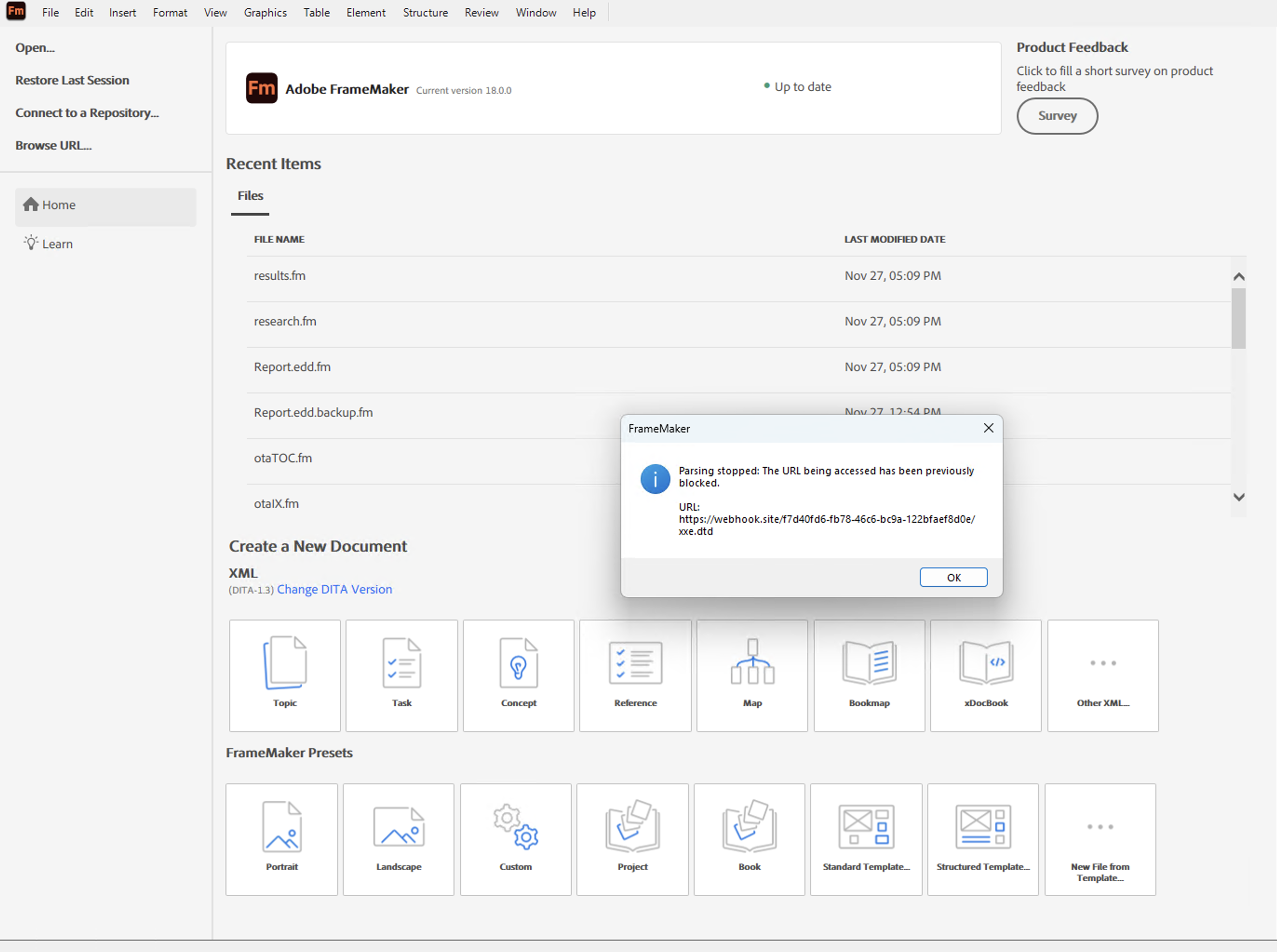
In cases where the same external URL is resolved more than once within the same XML file and has already been blocked, parsing is stopped, and the following message is displayed: